-

Explore and learn in detail about
all the features Wabco Toolbox
Plus offers

WABCO TOOLBOX PLUS
In the heavy truck software industry, WABCO Toolbox is a specialized software suite for commercial vehicle braking systems and technologies. This tool provides a range of useful functions, such as electronic brake system (EBS) calibration, advanced diagnostics, software updates, and access to detailed technical information on WABCO products.
Additionally, the WABCO Toolbox diagnostic software offers key features such as quick lookup for diagnostic trouble codes (DTCs), identification and solutions for active and stored faults, activation of components to verify their integrity and correct malfunctions, direct access to manuals and installation guides, and monitoring of the J1939 bus for efficient communication.
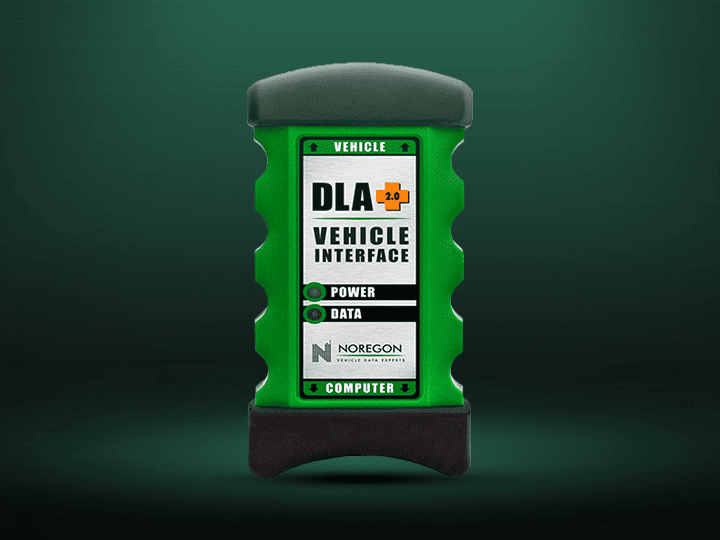
To use this software correctly, it is important to know that establishing a proper connection between the vehicle and the Wabco Toolbox Plus software requires an RP1210 adapter, and to configure it, you must enter "Adapter Selection". The adapters that Wabco connects with are DEARBORN ADAPTER (DPA5), DREWLINQ TECHNOLOGIES, JCB DLA 2.0, NEXIQ USB LINK 2, NEXIQ USB LINK 3, SCANMATIK 2 PRO, CUMMINS INLINE 7, NOREGON DLA 2.0 and other RP1210 adapters.
However, Wabco Tool Box features a function menu that is very useful for the proper operation of the software, including: JP939 Roll Call, aftermarket programming, and DTC & maintenance manual lookup. To learn more about each of these functions, explore them here.
FREQUENTLY ASKED QUESTIONS
WICH SYSTEMS ALLOW TO DIAGNOSE THE PRINCIPAL MENU OF THE LATEST VERSION OF WABCO?
WHAT DOES THE ONLANE PARAMETER ALLOW IN THE LATEST VERSION OF WABCO TOOLBOX PLUS?
WHAT IS THE SPECIFIC FUNTION OF HYDRAULIC ABS IN THE LATEST VERSION OF WABCO TOOLBOX PLUS?



Was this helpful?